
You can download and install apps from anywhere by default on Windows, but there are some options that could prevent users from installing third-party apps from unknown sources, which also help protect your device. So let’s take a look at the tip you can install apps only from Windows 10 Store and it is easy to follow:
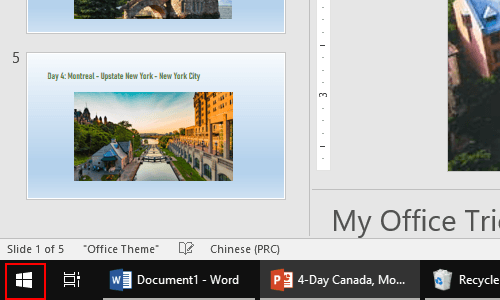
1. Click Start icon at the bottom left of the screen.
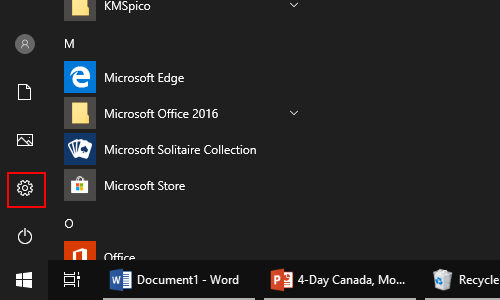
2. Next, click Settings icon in the pop-up window.
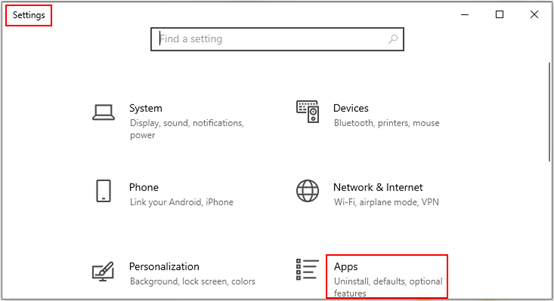
3. The Windows Settings dialog box will display, then click App icon.
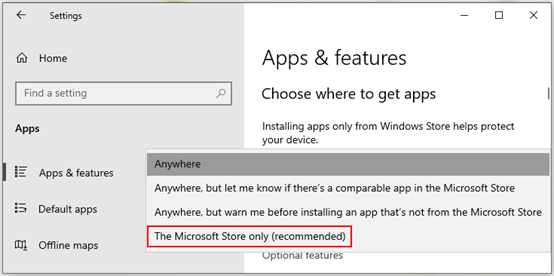
4. Another window of Settings appears, go to Apps & features in the left pane, then you can choose where to get apps by clicking the drop-down arrow firstly.
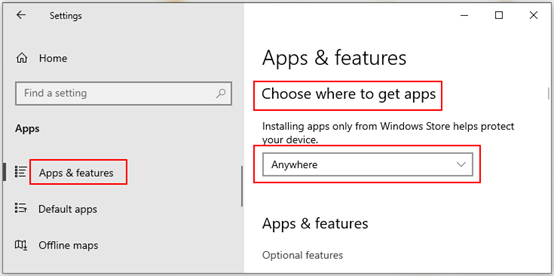
5. Then select The Microsoft Store only (recommend) in the drop-down list. Note: installing apps only from Windows Store helps protect your device.

Leave a Reply